
Printer For MS Office Documents1.0 - App Store
You'll be able to see results in few seconds.
Publisher Description
Printer for MS Office Documents is FREE today with AppGratis.com
Printer For MS Office Documents is absolutely for those who want to Prints Photos, Pictures, Contacts and Text Messages, Ever Clips , MS Office Documents and Emails .
*Zip/UnZip
*Unrar
The features of complete version of Printer For MS Office Documents :
Easy and fast finds Print for MSOffice Documents
- Documents from iWorks and MS Office
- Web pages
- Emails and Email Attachments
- Photos and Pictures
- Clipboard Manager
- Text Messages
- Contacts
- Dropbox content
- SkyDrive
- Drive
- Box
- Evernote
- iCloud
- WiFi
- Air Printer
Share PDFs
- Via Dropbox
- Using iTunes File Sharing
- By EMail
- WiFi
- iCloud
Features:
Clipboard Manager :
This is really amazing way to store text, photos, or website links on your iPhone or iPad. Using this app you can have a centralised backup of everything you copy and password protected. You can also export the database of the to your Dropbox or Drive account (as PDF) and find the Prints.
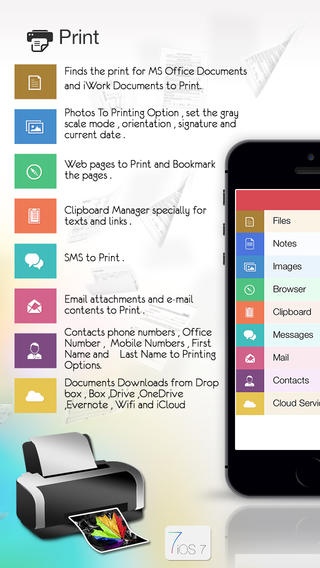
: Finds the print for MS Office Documents and iWork Documents to Print.
Photos To Printing Option, set the gray scale mode , orientation , signature and current date .
Web pages to Print and Bookmark the pages .
Clipboard Manager specially for texts and links .
SMS to Print .
Email attachments and e-mail contents to Print .
Contacts phone numbers , Office Number , Mobile Numbers , First Name and Last Name to Printing Options.
Documents Downloads from Drop box , Box ,Drive ,One Drive ,Evernote , Wi-Fi and iCloud
: Notes which includes text and images .
Files management with creating folders , copy , move folders and files from one places to other .
Pick photos from photo library and from other apps , then easily finds the print via air printer Option .
Sorting of files, folders with names , size , date and type easy to find the files and folders .
* Really attractive, super easy to use interface
* Using "Open In..." approach, print files from many popular online storages: Drop box,iDisk, Docs and other cloud storage applications.
* Save the following document formats to PDF:
Word, Excel, Powerpoint, Pages, Numbers, Keynote, RTF, RTFD, TXT, HTML, JPG, PNG, Safari webarchive.
* Mail out documents as email attachments
* Send files to iBook, GoodReader, PDF Reader.
* WiFi file transfer (Browser).
* Drive
* Box
* Dropbox
* Air Printer
* iCloud
* UnZip/Zip
* Unrar
Requires iOS 5.0 or later. Compatible with iPhone, iPad, and iPod touch.
About Printer For MS Office Documents
The company that develops Printer For MS Office Documents is Pradeep Singh. The latest version released by its developer is 1.0.
To install Printer For MS Office Documents on your iOS device, just click the green Continue To App button above to start the installation process. The app is listed on our website since 2014-04-19 and was downloaded 0 times. We have already checked if the download link is safe, however for your own protection we recommend that you scan the downloaded app with your antivirus. Your antivirus may detect the Printer For MS Office Documents as malware if the download link is broken.
How to install Printer For MS Office Documents on your iOS device:
- Click on the Continue To App button on our website. This will redirect you to the App Store.
- Once the Printer For MS Office Documents is shown in the iTunes listing of your iOS device, you can start its download and installation. Tap on the GET button to the right of the app to start downloading it.
- If you are not logged-in the iOS appstore app, you'll be prompted for your your Apple ID and/or password.
- After Printer For MS Office Documents is downloaded, you'll see an INSTALL button to the right. Tap on it to start the actual installation of the iOS app.
- Once installation is finished you can tap on the OPEN button to start it. Its icon will also be added to your device home screen.
Program Details
System requirements
Download information
Pricing
Version History
version 1.0
posted on 2014-04-19
Disclaimer
Official App Store Link
We do not host Printer For MS Office Documents on our servers. We did not scan it for viruses, adware, spyware or other type of malware. This app is hosted by Apple and passed their terms and conditions to be listed there. We recommend caution when installing it.
The App Store link for Printer For MS Office Documents is provided to you by apps112.com without any warranties, representations or guarantees of any kind, so access it at your own risk.
If you have questions regarding this particular app contact the publisher directly. For questions about the functionalities of apps112.com contact us.
